Coquette is our original styling prompt, not a confirmed theme in the live rotation. The drawing below is a conceptual illustration, not a screenshot, official preset, or evidence of item availability.
Coquette palette: which colors do what?
Use the references as a relationship between main color, depth, accent, and highlight. You can choose nearby available shades rather than requiring the exact values. Support for pasting HEX text into the game has not been tested.
The lightest reference is a makeup highlight idea, not a required skin tone. Compare it with your character before choosing the size and placement of that region.
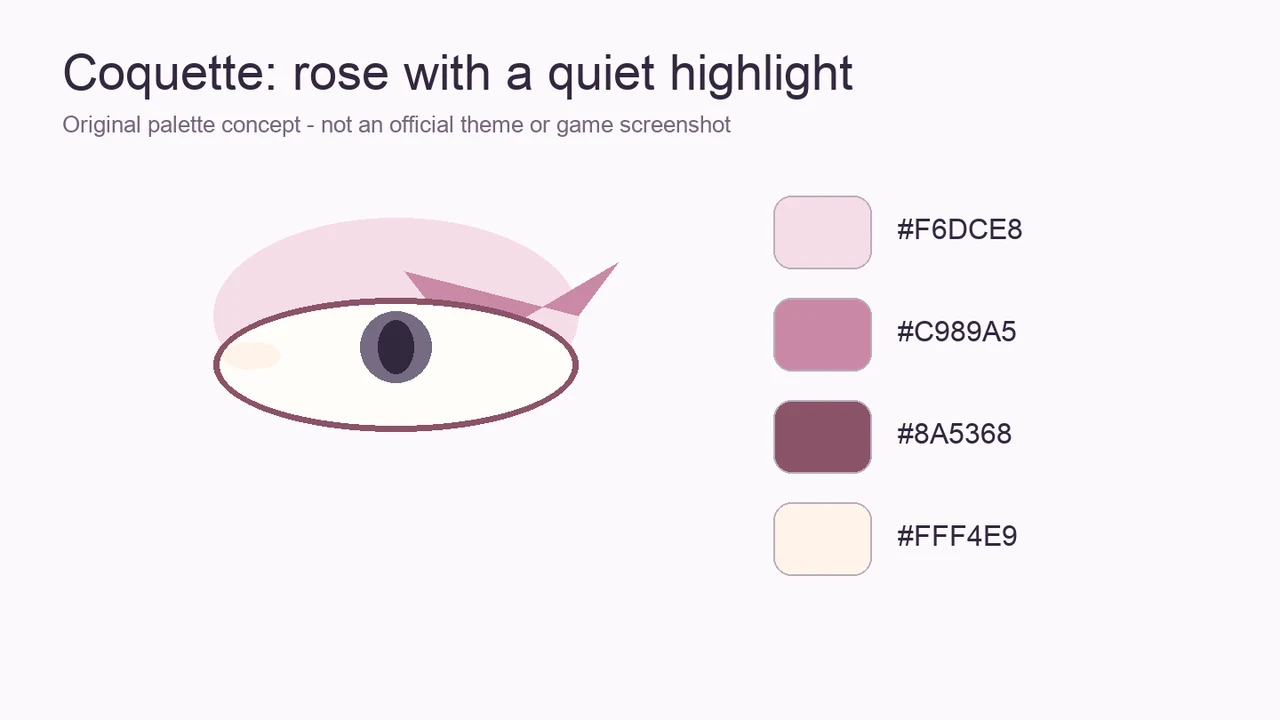
| Role | HEX reference | Visual job |
|---|---|---|
| Main color | #F6DCE8 | Carry the overall mood |
| Depth | #C989A5 | Separate the outer shape |
| Accent | #8A5368 | Add one smaller detail |
| Highlight | #FFF4E9 | Leave a light gap |
A three-step Coquette eye plan
Plan a small rose eye area with a restrained outer definition. Use the colors to make that shape readable before adding tiny decoration. These are drawing directions to adapt to the controls available in your session.
- Use #F6DCE8 as the main color reference.
- Keep #C989A5 toward the outer region and #8A5368 in one small accent area.
- Reserve #FFF4E9 for a visible light gap beside the darker edge.
Hair balance and presentation
Keep the face open enough that the small rose accent remains visible. A complicated fringe can hide the light-and-dark separation that makes this restrained plan work.
If your session offers a choice of viewing angle, compare an unobstructed front view with a slight angle and keep whichever shows the eye plan clearly. This is a composition suggestion, not a named pose, a verified camera control, or a voting bonus.
What if the look does not read clearly?
If all regions appear pale, concentrate a little more depth at the outer edge instead of darkening every color. If the accent becomes the focal point by accident, reduce its area. Review the full face between changes so you can judge the relationship.
If you are unsure which decision is causing the problem, keep the main color stable and change only the outline or accent. There is no need to add a bow, shell, sparkle effect, or paid accessory simply because a style name suggests one.
Use the actual round prompt as the final check
Compare this styling idea with the instructions on your current round screen. Borrow its colors when they fit, or change the mood when they do not. This page does not establish that a particular prompt appears in the game.
No palette guarantees votes. Treat the example as a starting exercise and keep any personal observations separate from developer rules.