The shapes below are original drawing references, not official presets or tested interface controls. No mirror toggle, shortcut, brush setting, or voting bonus is claimed.
Choose the wing direction before its length
A short lifted wing, a longer outer wing, and a heavy border make different parts of the eye dominant. Decide which shape supports the round mood before combining them. A long point added to a thick surrounding border may hide the main eye-color area.
Our diagram compares shape ideas on a simplified eye. It does not establish that any named preset or one-click wing exists in Makeup Mania.
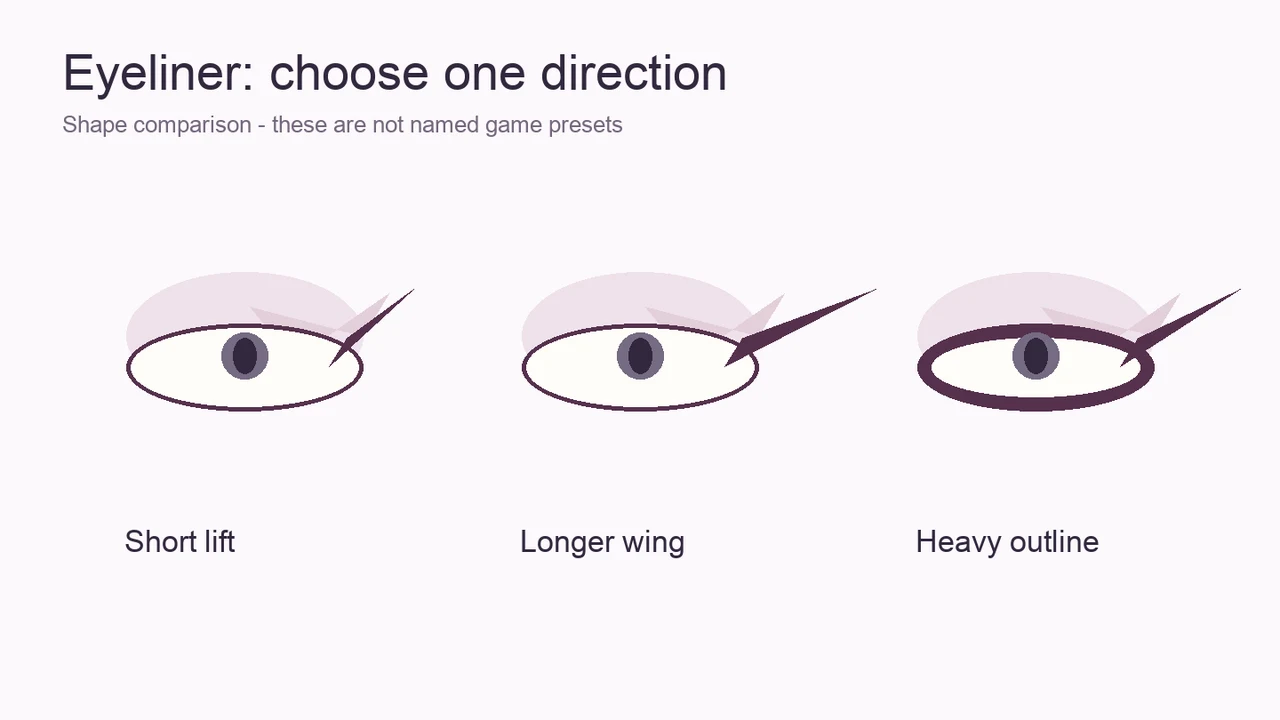
Plan a short wing first
Begin with an outer direction you can recognize at the scale where you review the face. Keep the rest of the border quieter so you can judge that direction. Add length only if the eye shape remains legible beside the shadow and hair.
Where your actual interface permits corrections, try changing a small region instead of replacing the entire eye. The available correction controls and undo behavior have not been tested in this guide.
- Decide whether the outer shape should lift or extend sideways.
- Keep a visible color area inside the outline.
- Compare the direction with both eyes and the hair silhouette.
- Extend only the region that supports your chosen direction.
Fix an eye outline that feels too heavy
A heavier border is not automatically a stronger design. If the dark area is the first thing you see, make it narrower or reduce its coverage, using whatever real controls are available. Restore a lighter area beside it before adding a second dark detail.
If shadow and liner use similar dark colors, a small difference in lightness can separate them. Avoid solving every crowded shape by adding a brighter accent; that can create another competing focal point.
Compare both eyes without inventing a mirror tool
Look at the direction and visible area of each eye. Exact symmetry is a design choice, not an established scoring requirement. If your concept is balanced, compare the length and weight of the outer shapes rather than demanding identical pixels.
Mirror controls, camera rotation buttons, and platform shortcuts are not verified here. Follow your current interface, and do not confuse a tutorial recording from another date with a guaranteed current control location.
Use the liner to support the prompt
For a dark editorial look, let the outline frame a lighter region instead of filling the whole eye. For a restrained neutral look, keep the border where it improves definition and leave quieter areas alone.
Choose the style that fits the actual round prompt. These are original examples, not evidence of official themes or hidden points for a particular wing angle.